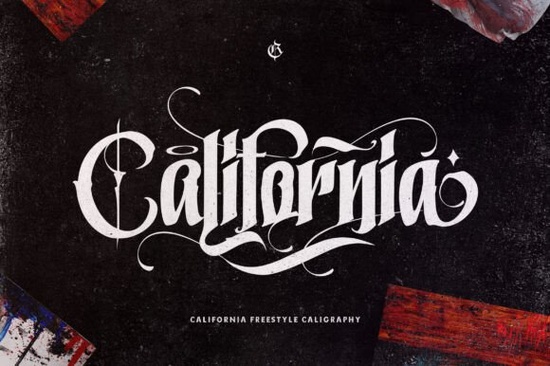
If you've been searching for a typeface that makes a bold statement without feeling outdated, California Style Font might be exactly what you need. It's a thick, blackletter-style typeface with strong character lines and plenty of decorative extras perfect for designs that need attitude and visual weight.
This font works well across a range of creative projects, from apparel mockups to branding materials. Below, I'll walk through what makes it stand out, where it fits best, and how to get the most out of it.
What Kind of Font Is the California Style Font?
It falls into the blackletter category think old English newspaper mastheads, tattoo shop signage, and vintage beer labels. The bold blackletter lettering is thick, confident, and full of personality. Each letter has heavy strokes with sharp edges, giving your text a dramatic, handcrafted look.
What sets this particular font apart is its PUA encoding. That means every glyph, swash, and alternate character is accessible even in basic design software that doesn't normally support OpenType features. You can use Character Map (Windows) or Font Book (Mac) to copy and paste the extras directly into your project.
Who Is This Font Designed For?
This is a solid pick for anyone working in:
- Print-on-demand It looks fantastic on t-shirts, hoodies, mugs, and posters
- Tattoo design The thick blackletter style is a natural fit for tattoo flash sheets and custom lettering
- Branding and logos Especially for barbershops, streetwear brands, breweries, and music labels
- Social media graphics Bold titles and quotes that need to stop the scroll
- Invitations and event flyers Concert posters, tattoo conventions, or themed party invites
If you sell designs on Etsy, Redbubble, or Merch by Amazon, fonts like this one are worth having in your toolkit. They appeal to a broad audience and pair well with minimalist design elements.
How Does It Compare to Other Blackletter Fonts?
Blackletter fonts vary widely some are ornate and gothic, others are more streamlined and modern. Here's how the California Style Font stacks up against a few similar options worth considering:
Tattoo Studio leans even more heavily into the tattoo aesthetic, with extra flair and decorative swashes that mimic hand-lettered tattoo scripts. If your project is specifically tattoo-oriented, this alternative may suit your needs better.
Captain Victory brings a slightly more vintage, Western-inspired blackletter feel. It's a strong choice for projects that want that old-school Americana vibe think saloon signs or retro motorcycle club logos.
Then there's Vintage Old English, which stays closer to the traditional Old English letterform. If you prefer the classic blackletter look with fewer modern touches, that one is a solid pick.
The California Style Font sits comfortably in the middle bold and expressive without being overly decorative. It's versatile enough for multiple project types while still carrying that unmistakable blackletter energy.
What Software Can I Use This Font With?
Since it's PUA encoded, you can use it in virtually any program that supports custom fonts:
- Adobe Photoshop, Illustrator, and InDesign Full access to alternates and swashes through the glyphs panel
- Canva Upload and use with Canva Pro; access extras via Character Map
- Cricut Design Space Great for vinyl decals, iron-on transfers, and custom crafts
- Silhouette Studio Works well for cutting projects and layered designs
- Procreate Install on iPad and use for digital lettering and illustration
The key advantage of PUA encoding is that you don't need advanced software to use every character. Even in basic tools, you'll have full access to everything the font offers.
Best Pairing Ideas for the California Style Font
Because this font is so bold, it works best as a headline or title font. Pair it with a clean sans-serif for body text to keep things readable. Here are a few combinations that work well:
- California Style Font + a simple sans-serif like Montserrat Clean and modern contrast
- California Style Font + a handwritten script Adds warmth and personality to branding projects
- California Style Font + a thin serif Creates a balanced, editorial look
Avoid pairing it with another heavy or decorative font two competing styles will make the design feel cluttered.
Quick Checklist Before You Buy
- ✅ Check that the font includes the characters and glyphs your project requires
- ✅ Confirm the license covers your intended use (personal, commercial, POD)
- ✅ Test a sample text with your specific words to see how the letterforms look together
- ✅ Plan your font pairings ahead of time bold blackletter fonts need breathing room
- ✅ Use a glyphs viewer or Character Map to explore all the swashes and alternates before finalizing your design
Next step: Visit the California Style Font product page to preview the full character set and see sample mockups before committing to your next project.
Download Now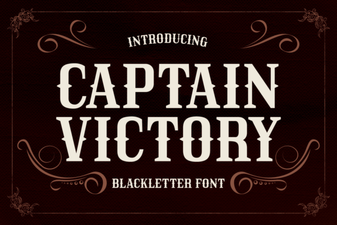 Captain Victory Font: Bold Heroic Typography for Designers
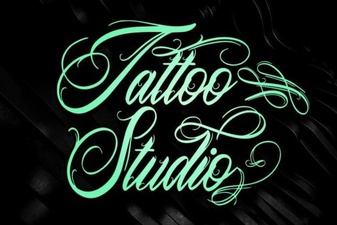 Bold Tattoo Studio Fonts for Creative Design Projects
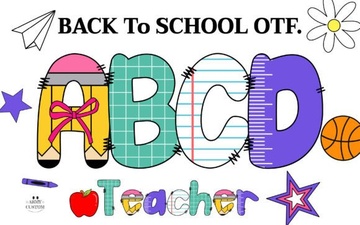 Bold Back to School Army Font for Creative Projects
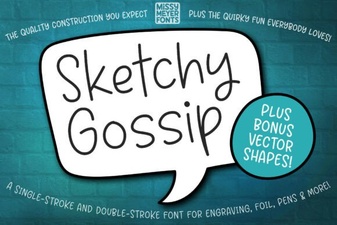 Sketchy Gossip Font: Playful Hand-Drawn Lettering for Creative Projects
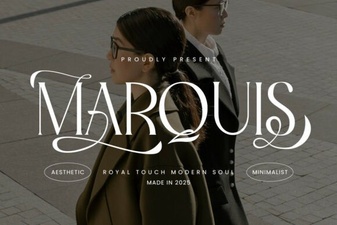 Marquis: a Modern Serif Font for Elegant Design Projects
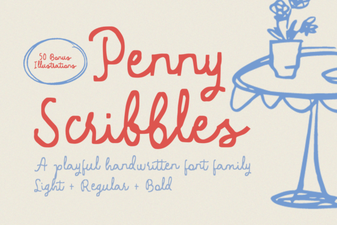 Penny Scribbles Font – Playful Handwritten Script Font for Creative Designs