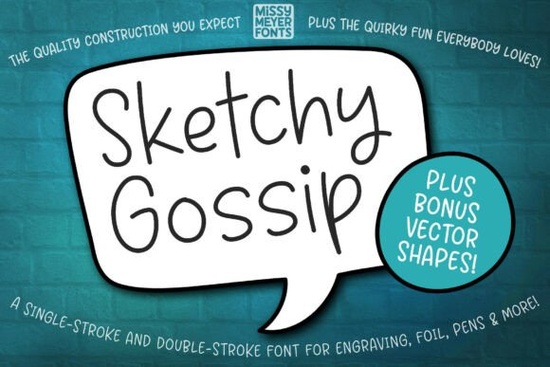
If you work with cutting machines, engraving tools, or sketch pens, you know that most fonts just don't work the way you need them to. The Sketchy Gossip Font is built specifically for single-line and double-line drawing applications, making it a solid choice for anyone who creates with a stylus, foil quill, or nib instead of a standard printer.
This playful, rounded handwriting font is based on the popular Juicy Gossip outline typeface. It has a casual, friendly feel that works well on greeting cards, personalized gifts, engraved jewelry, cutting boards, and similar craft projects. Let's break down what makes it useful and how to get the most out of it.
What Makes This Font Different from Regular Fonts?
Most fonts you download are designed for printing filled letters. That means your cutting machine or drawing tool tries to trace the entire outline of each character, which takes longer and often looks thick or messy.
Sketchy Gossip Font solves that problem. It comes in both single-stroke and double-stroke versions, so your tool draws clean, thin lines instead of filled shapes. This matters for:
- Sketch pen projects where you want a natural, hand-drawn look
- Foil quill designs on cards, invitations, and gift tags
- Engraving on metal, wood, or acrylic surfaces
- Glowforge scoring and similar laser-based tools
- Infusible ink pens for heat-transfer projects
If you've ever tried using a regular script font with a pen tool and ended up with double lines or blobby text, this is the kind of font that fixes that issue.
What's Included in the Download?
Beyond the font itself, the package includes a set of SVG bonus objects pulled from the original Juicy Gossip typeface. These are vector shapes you can drop right into your projects:
- Hand-drawn banners
- Ovals and frames
- Speech bubbles
- Decorative shapes and accents
These extras save time when you're building layouts for cards, labels, or signage. Instead of searching for matching design elements, you already have pieces that share the same style.
Does It Work with Cricut and Brother Machines?
Yes, but there are a couple of things worth knowing before you start.
Cricut Design Space: You might see an error when you move to the "Make It" screen. The download includes a PDF guide with step-by-step instructions to work around this. Follow those steps and you'll be fine.
Brother Canvas Workspace: The typeable version of the font may not display correctly due to known software limitations. Use the included SVG files instead. They contain the full character set and work reliably in Canvas Workspace.
For most other programs like Sure Cuts A Lot, Make The Cut, or Inkscape the font installs and works without extra steps.
Who Is This Font Best For?
This font fits naturally into the workflow of people who make things by hand or with a machine. Specifically:
- Craft sellers who create personalized gifts, ornaments, or engraved products
- Small business owners making branded packaging, labels, or signage
- Card makers who want a handwritten feel without writing by hand
- Hobbyists who enjoy working with foil quills, sketch pens, or laser cutters
The rounded, casual style gives projects a warm, approachable look. It pairs well with other script fonts too. If you're building a collection, you might also want to check out some hand-lettered script fonts for variety, or browse elegant wedding fonts if you take on invitation projects.
How Does It Compare to Other Creative Fabrica Fonts?
Creative Fabrica carries a wide range of script and display fonts. If you like the playful style of Sketchy Gossip, there are several others worth looking at depending on the project:
- Farmhouse-style fonts work well for rustic signs and kitchen décor
- Holiday script fonts are great for seasonal cards and ornaments
- Themed display fonts can add personality to party supplies and fan projects
The main thing that sets Sketchy Gossip apart is its single-line drawing capability. Most decorative fonts on Creative Fabrica are standard print fonts. If your work involves a pen, quill, or engraving tip, this distinction really matters.
Quick Checklist Before You Buy
- ✅ Confirm your software supports SVG or single-stroke fonts
- ✅ Know whether you need single-stroke or double-stroke (both are included)
- ✅ Download and read the PDF guide if you use Cricut Design Space
- ✅ Use SVG files for Brother Canvas Workspace projects
- ✅ Plan projects around drawing tools not standard printing
Tip: Test the font on scrap material first. Run a quick sketch pen test on cardstock or a light engraving pass on a practice surface. This helps you dial in line weight and spacing before committing to your final piece.
Get Started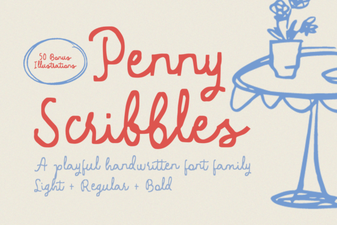 Penny Scribbles Font – Playful Handwritten Script Font for Creative Designs
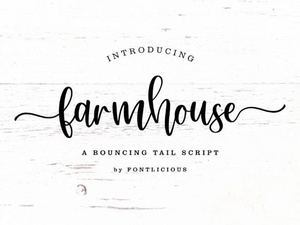 Farmhouse Font Styles for Rustic and Charming Design Projects
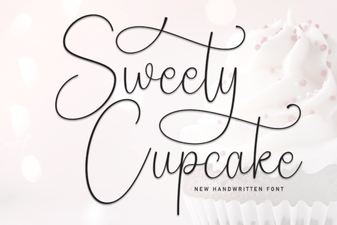 Sweety Cupcake Font Free Script Font Download | Elegant
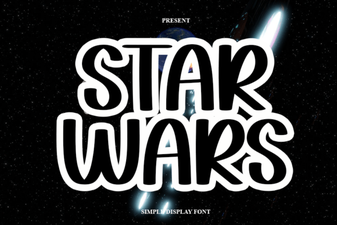 Best Star Wars Font Styles for Creative Design Projects
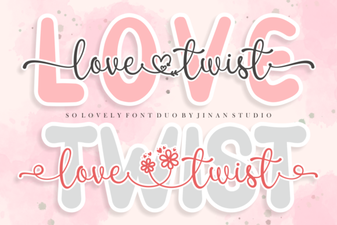 Creative Typography with Love Twist Duo
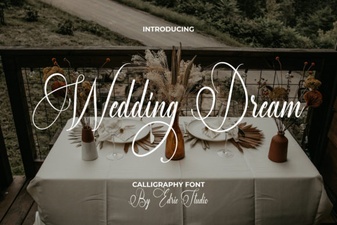 Elegant Wedding Dream Font for Romantic Invitations and Designs