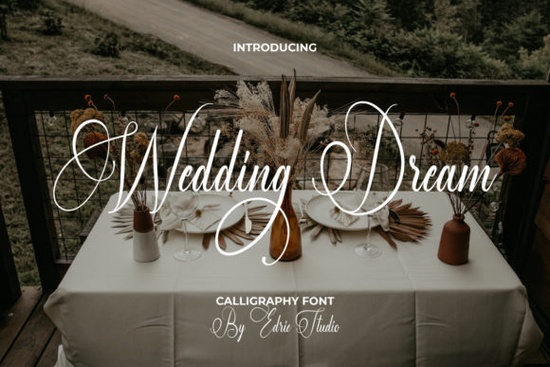
Finding the right typeface for wedding stationery can make or break a design. The Wedding Dream Font is a handwritten script that brings both charm and elegance to any project. Whether you're designing invitations for a client or creating your own wedding stationery set, this font gives your work that polished, personal look without feeling overdone. It's one of those script fonts that strikes a nice balance between decorative and readable something that's harder to find than you'd think.
What Does the Wedding Dream Font Look Like?
This is a flowing, connected script with a natural handwritten feel. The letterforms have smooth curves and subtle flourishes that add personality without making the text hard to read. It works well at larger sizes for headlines and display text, but it also holds up nicely on smaller elements like envelope addressing or tag lines.
The overall style leans romantic and classic. If you've browsed through options like Love Twist Duo Font, you'll notice a similar elegant vibe though Wedding Dream has its own distinct character with slightly more refined strokes.
Where Can You Actually Use This Font?
The product description mentions wedding invitations first, and for good reason. But this font goes well beyond that. Here are some practical uses:
- Wedding invitations and save-the-dates the most obvious fit
- Thank you cards personal and warm
- Quotes and wall art especially romantic or inspirational text
- Logos and branding for wedding planners, florists, or bakeries
- Business cards when you want a personal, approachable feel
- Greeting cards anniversaries, Valentine's Day, love-themed designs
- Print-on-demand products mugs, tote bags, apparel with wedding-themed quotes
- Social media graphics engagement announcements, bridal shower posts
For print-on-demand sellers especially, a versatile script font like this opens up an entire product category around weddings, engagements, and anniversaries. That niche alone is huge and year-round.
What Does PUA Encoded Mean and Why Should You Care?
PUA stands for Private Use Area. When a font is PUA encoded, it means every glyph, swash, and alternate character is accessible through your operating system's character map or your design software's glyph panel. You don't need special software or workarounds.
This matters because many decorative script fonts include beautiful alternate letters and ligatures that are locked away unless the font is properly encoded. With this font, you can access all of those extras the fancy swashes, stylistic alternates, and decorative elements directly in programs like:
- Adobe Illustrator and Photoshop
- Cricut Design Space
- Silhouette Studio
- Canva (with uploaded fonts)
- Procreate
If you've ever downloaded a font only to find half the characters are missing, you know how frustrating that can be. PUA encoding solves that problem entirely.
Does It Pair Well With Other Fonts?
A script font like this works best when paired with a clean sans-serif or serif for body text. On wedding invitations, for example, you might use Wedding Dream for the couple's names and a simple serif for the event details. This contrast keeps the design balanced and easy to read.
For creative projects beyond weddings, consider pairing it with something like the farmhouse font for rustic-themed designs or mixing it with a playful option like the Sweety Cupcake font for sweet-themed party invitations. The key is letting the script font be the star and using a simpler companion font for supporting text.
For holiday or seasonal designs, you might explore entirely different styles like Jolly Christmas Script, but having a wedding-ready font on hand means you're prepared for one of the biggest design markets out there.
Is This Font Right for Commercial Projects?
If you're selling products that use this font whether it's printed invitations, digital downloads, or print-on-demand items always check the license on the product page. Creative Fabrica typically offers fonts with commercial-use licenses, which is a big deal if you're a small business or Etsy seller. You can read more about their licensing details on the Creative Fabrica website.
How Do You Get the Most Out of This Font?
Once you've picked up the Wedding Dream font, here's a quick checklist to make the most of it:
- Install the font properly on your system before opening your design software
- Open the glyph panel in your software to browse all available alternates and swashes
- Test different letter combinations script fonts often look best when you swap out certain letters with their stylistic alternates
- Adjust letter spacing as needed; script fonts sometimes need manual kerning for the cleanest look
- Pair it with a simple secondary font to keep your designs balanced and legible
- Print a test copy before finalizing what looks good on screen sometimes needs tweaking in print
Next step: Download the font, open your preferred design tool, and create a simple mock-up of a wedding invitation or thank you card. Seeing it in a real layout will tell you quickly if it's the right fit for your project. Try It Free
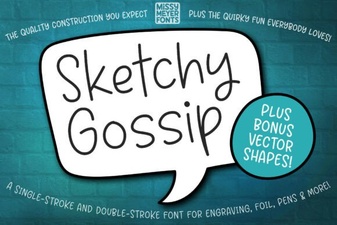 Sketchy Gossip Font: Playful Hand-Drawn Lettering for Creative Projects
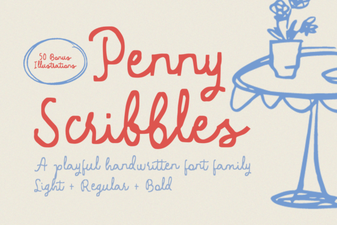 Penny Scribbles Font – Playful Handwritten Script Font for Creative Designs
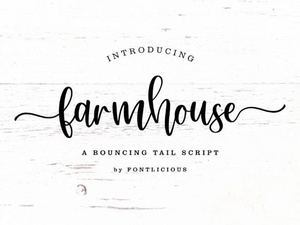 Farmhouse Font Styles for Rustic and Charming Design Projects
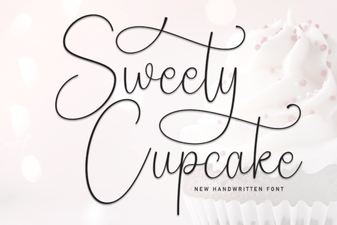 Sweety Cupcake Font Free Script Font Download | Elegant
 Best Star Wars Font Styles for Creative Design Projects
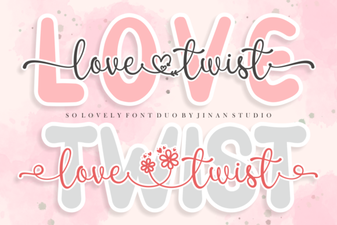 Creative Typography with Love Twist Duo