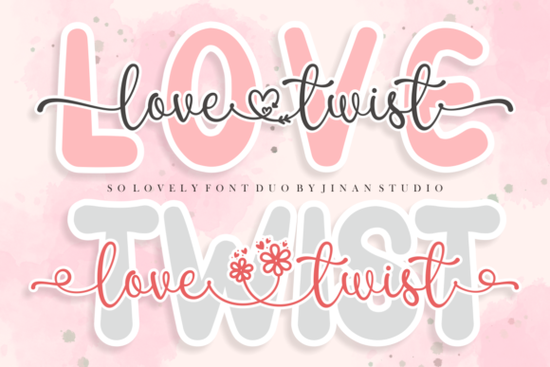
If you've been looking for a romantic, elegant font pair that works across different design projects, the Love Twist Duo Font is worth a closer look. It combines a flowing script with a clean sans serif, giving you two complementary typefaces in one package. Whether you're designing wedding invitations, social media graphics, or product labels, this duo font keeps things cohesive without the hassle of manually pairing fonts yourself.
What comes with the Love Twist Duo package?
The font set includes two styles:
- A script font with smooth, connected letterforms and decorative swashes
- A sans serif font with a clean, modern look that balances the script's ornate feel
Because it's PUA encoded, you can access every glyph, alternate character, and swash through any standard character map no special design software required. This is especially helpful if you're working in Cricut Design Space, Silhouette Studio, or even basic programs like Word.
What kind of projects is this font good for?
Love Twist Duo works well for projects that need a soft, romantic feel. Here are a few ideas:
- Wedding stationery save the dates, invitations, menu cards, and thank-you notes
- Greeting cards Valentine's Day, anniversaries, or just-because cards
- Print-on-demand products mugs, tote bags, t-shirts, and wall art with romantic quotes
- Social media posts especially for beauty, lifestyle, or event planning brands
- Branding and logos for boutiques, florists, or any business with a feminine or elegant identity
The script portion adds personality and warmth, while the sans serif keeps secondary text readable and grounded.
How does it compare to other script fonts on Creative Fabrica?
There's no shortage of beautiful script fonts available, and it really comes down to the mood you're going for. If you want something sweet and playful for bakery branding or party invitations, the Sweety Cupcake font has a fun, whimsical vibe. For rustic or farmhouse-style designs, the Farmhouse font gives off a warm, hand-lettered feel.
Love Twist Duo stands apart because it includes the matching sans serif. You don't have to search for a second font that works alongside the script it's already built in. That saves time and keeps your layouts looking intentional.
Can you use it for commercial projects?
Yes. When you get Love Twist Duo through Creative Fabrica's subscription or individual license, you can use it for personal and commercial projects. This includes selling physical products, creating digital downloads, and designing client work. Just make sure to review the specific license terms on the product page so you know what's covered.
How do you install and start using it?
After downloading the font files, installation is straightforward:
- Windows right-click the .ttf or .otf file and select "Install"
- Mac double-click the file and click "Install Font" in Font Book
- Design software restart your program so it picks up the new font
Once installed, open your character map to browse all available swashes and alternates. Copy the glyph you want and paste it into your design tool. This works in Photoshop, Illustrator, Canva, and even cutting machine software.
What fonts pair well with Love Twist Duo?
If you're working on a larger project and need more variety, Love Twist Duo pairs nicely with other decorative fonts. For a casual, handwritten look in a different section of your design, the Sunshine Olivia font is a solid option. The Sketchy Gossip font works if you want something with a bit more edge. And if you ever need a bold, themed display font for a completely different project say, a movie night invitation the Star Wars font covers that end of the spectrum.
Mixing font styles is part of the fun, but having a built-in duo like Love Twist takes the guesswork out of pairing.
Quick checklist before you start designing
- Download and install both the script and sans serif files
- Open your character map to explore available swashes and alternates
- Test the font pair in your specific design software
- Check the license terms for your intended use
- Start with a simple project like a quote card to get comfortable with the glyphs
Tip: Save your favorite swash characters in a text file or document so you can quickly copy and paste them during future projects. It speeds up your workflow more than you'd expect.
Learn More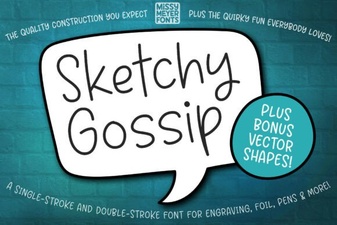 Sketchy Gossip Font: Playful Hand-Drawn Lettering for Creative Projects
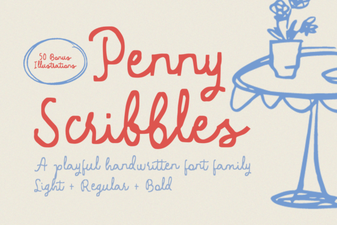 Penny Scribbles Font – Playful Handwritten Script Font for Creative Designs
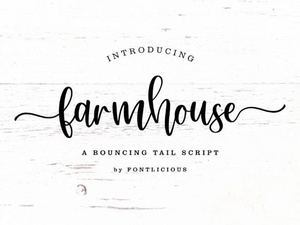 Farmhouse Font Styles for Rustic and Charming Design Projects
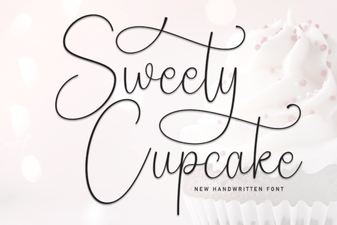 Sweety Cupcake Font Free Script Font Download | Elegant
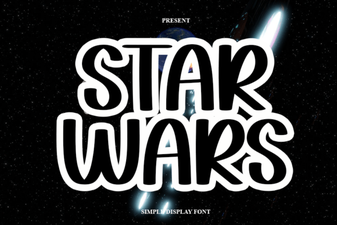 Best Star Wars Font Styles for Creative Design Projects
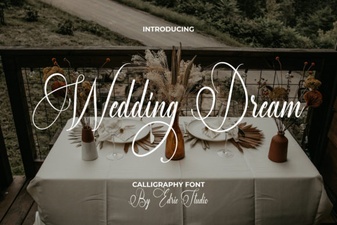 Elegant Wedding Dream Font for Romantic Invitations and Designs